

Meet Your New Query Sidekick: The Coralogix AI Query Assistant
eugene evdokimov5 min read
Becoming an expert in any query language can take years of dedicated study and practice. At Coralogix, however, we believe observability should be accessible to everyone. That’s why we're thrilled to announce the launch of our latest innovation (and your new sidekick): the AI Query Assistant.
The AI Query Assistant revolutionizes the way you interact with your data. By transforming natural language into structured DataPrime queries, it makes querying not only more intuitive but also more efficient. Whether you're a seasoned developer or just starting out, the AI Query Assistant empowers you to gain deep insights from your data with ease. No more struggling with complex query syntax—just clear, accurate results at your fingertips.
The AI Query Assistant learns your system and tailors its functionality to your specific needs—but rest assured, the assistant does not use your data for training purposes, so your data remains secure.
How can the AI Query Assistant help you?
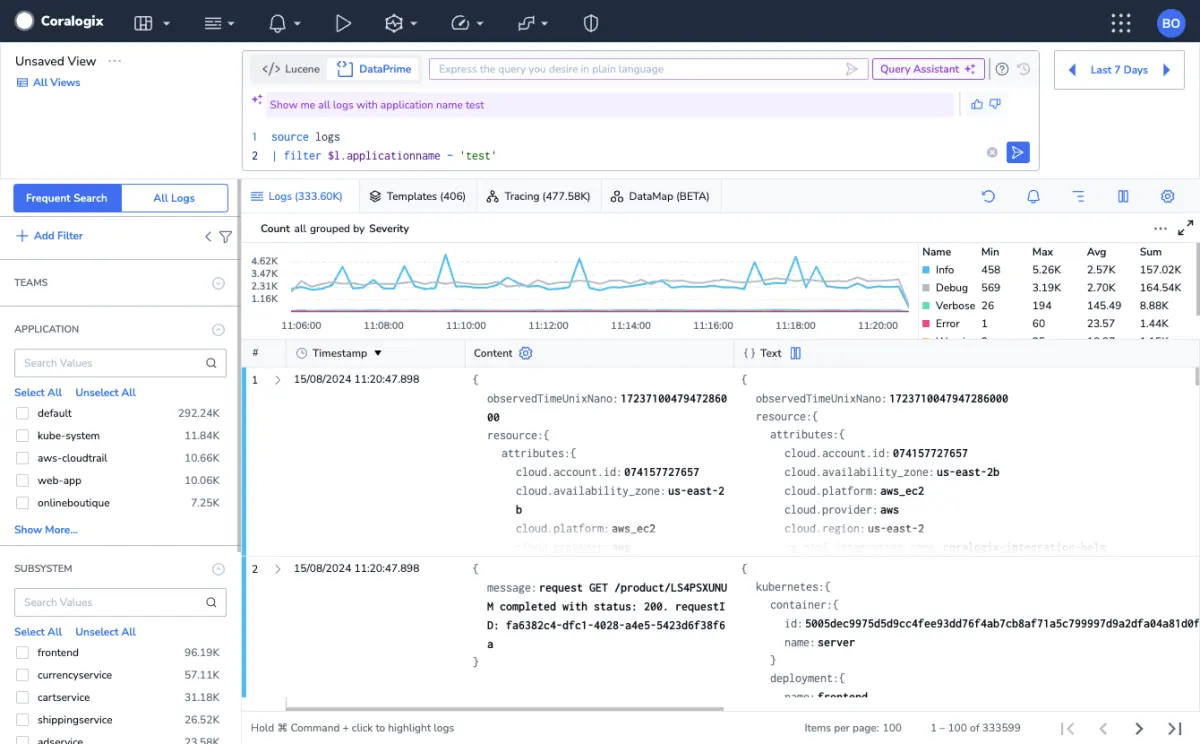
Navigating the complexities of data querying can be challenging, but with the AI Query Assistant, you have a powerful ally at your disposal. This innovative tool is designed to streamline the querying process to quickly and accurately retrieve the information you're looking for. The AI Query Assistant can be:
Your query generator: Forms structured queries from natural language
Harnessing the power of an advanced Large-Language Model (LLM), our AI Query Assistant lets you enter your queries in plain English and seamlessly transforms them into precise DataPrime queries. For instance, you can type something like “show me all logs with severity error or higher” and receive a formatted DataPrime query in seconds.
Disclaimer: our AI Query Assistant can’t help you with prompts like “show me the top 10 Taylor Swift Songs” (unfortunately)⸺invalid prompts will elicit an error message.

Your editor: Eliminates error potential
We all make mistakes; luckily, our AI Query Assistant has got your back. By identifying and correcting mistakes in your prompts, it ensures typos or syntax errors don't hinder accurate and efficient data retrieval.
Your assistant: Allows for flexible query modification
The AI Query Assistant is here to help, but you’re always in control. We prioritize your flexibility and control over the data exploration process. Even after a query is generated, you can review your original prompt and make any changes you like—whether in natural language or directly in the DataPrime query format.
Query examples
Here are just a few examples of the many types of commands you can input that the AI Query Assistant can transform into structured DataPrime queries:
Simple field-based filter
Isolate records that meet a particular condition.
Example: “Show me all logs with application name default”

Multiple filters
Apply multiple conditions simultaneously to narrow down results more precisely.
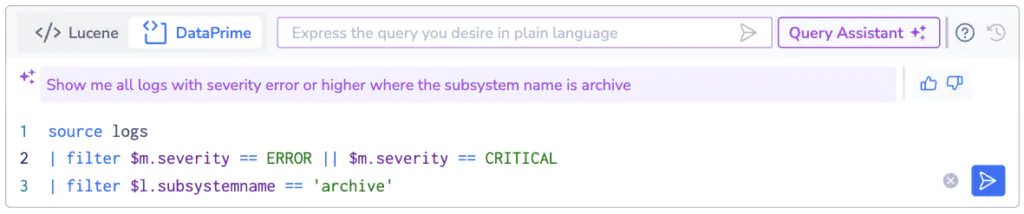
Example: “Show me all logs with severity error or higher where the subsystem name is archive”
Aggregation
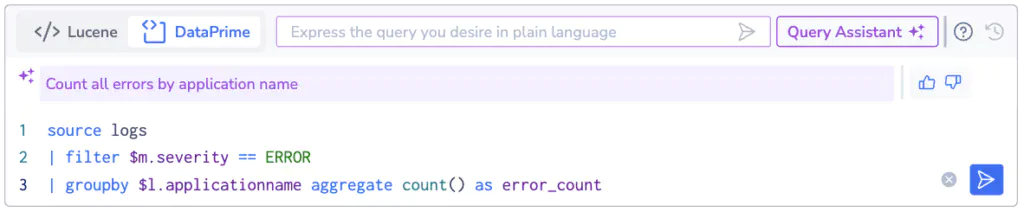
Gain insights such as counts, averages, sums, or other statistical measures.
Example: “Count all errors by application name”
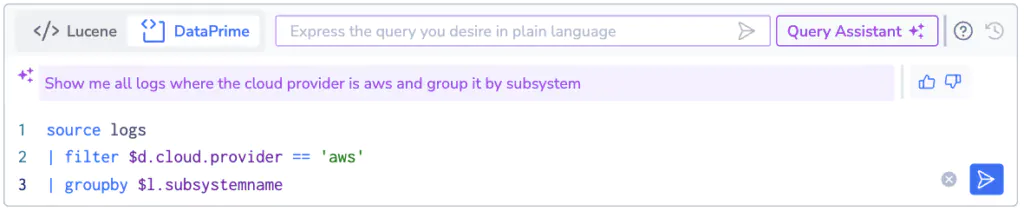
Aggregation and filtering
Combine filtering with aggregation by first filtering the data and then aggregating it.
Example: “Show me all logs where the cloud provider is aws and group it by subsystem”
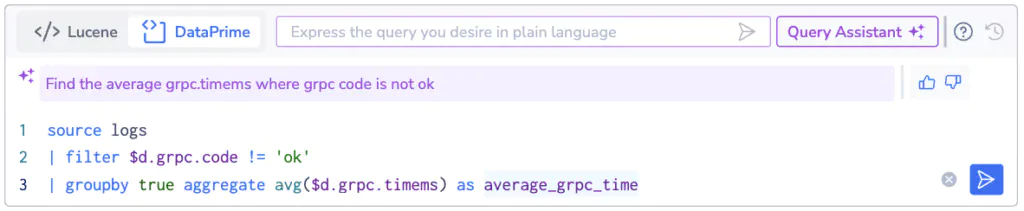
Advanced Calculation
Perform complex operations on the data, often involving mathematical functions or multiple steps of data processing.
Example: “Find the average grpc.timems where grpc code is not ok”
Getting started with the AI Query Assistant
For comprehensive instructions on using the AI Query Assistant, be sure to check out the documentation. As you explore this new feature, remember that even the best assistants need a little feedback. By rating responses with a thumbs up or down, you help make the AI Query Assistant more accurate and helpful over time. The bottom line? Let your creativity flow—your queries are limited only by your data and how you interact with the assistant.
Keep reading
 ProductThe new APM experience: every service monitored from day one, and ready for your AI agent
 ProductIntroducing Coralogix Product AnalyticsHeatmaps, funnels, and pathways computed from the RUM sessions you already send, so a drop in conversion opens the exact sessions and errors behind it.
 ProductIntroducing the new Coralogix Metrics Engine